Visual builder
Drag, drop, done.
Build the path callers take with a visual editor. Branch on hours, menus, ring groups, and voicemail without learning a phone-system DSL.
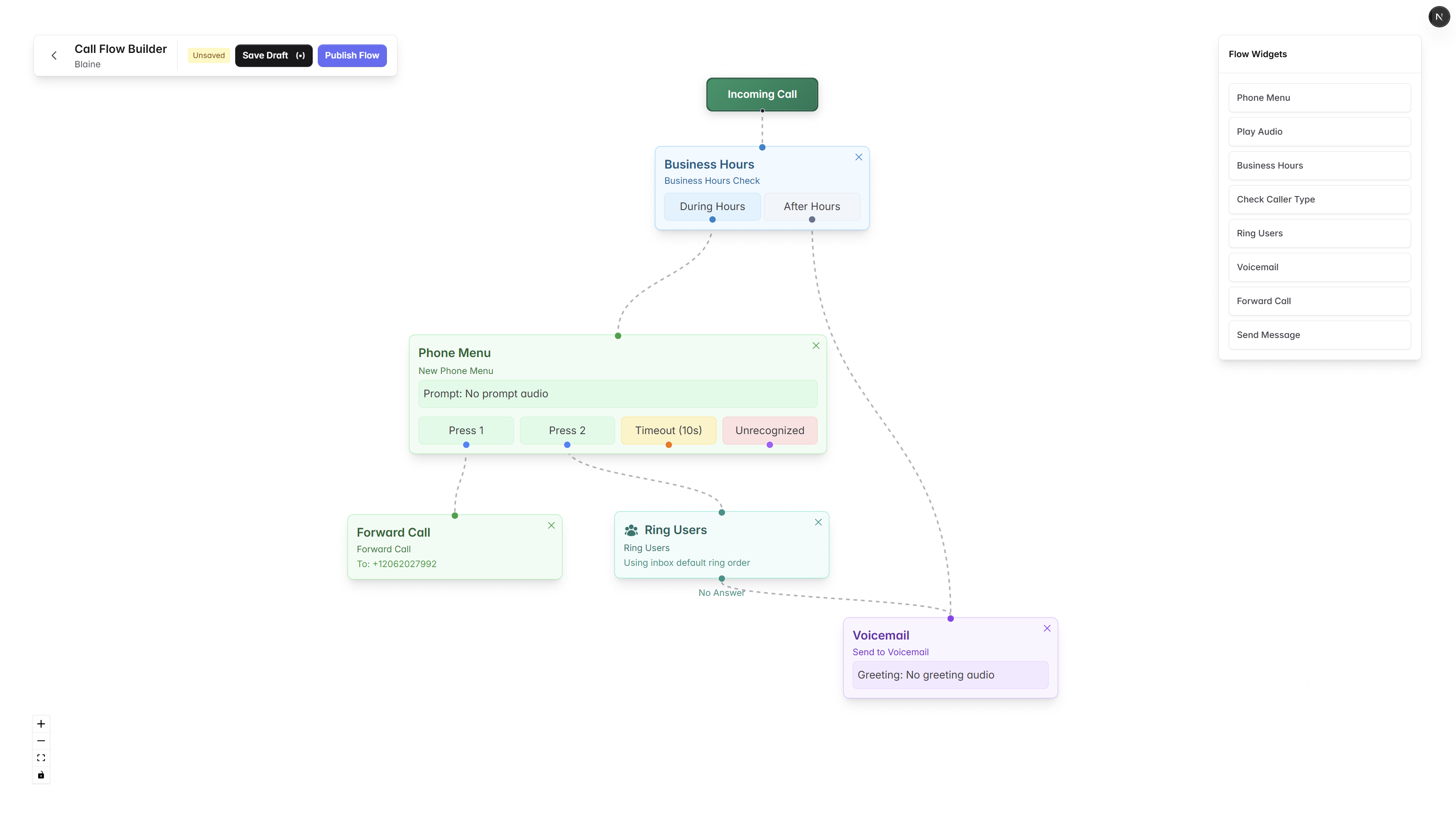
Building blocks
The right step for any caller.
Business hours
Branch on day-of-week and time, with a holiday calendar your team can edit.
IVR menus
Press 1 for sales, 2 for support, with custom prompts and barge-in.
Ring groups
Ring everyone, ring in order, or ring round-robin to spread the load.
Voicemail
Per-step greetings, transcripts, and the option to text the caller back.
Forwarding
Hand off to an external number, a teammate, or a shared inbox.
Follow-up texts
Auto-send a missed-call or wait-time text so callers know what is next.
Build a flow
From blank canvas to live in an hour.
- Step 01
Pick a starting number
Choose which line the flow controls.
- Step 02
Drop in steps
Hours, menus, ring groups, voicemail, forwarding.
- Step 03
Test it
Call into the flow. See the path light up live.
- Step 04
Publish
Roll out instantly. Roll back to any prior version.