One contact book
Every number, named and shared.
Build a single contact book for the people and businesses your team works with. New numbers get matched automatically, and notes stay with the contact.
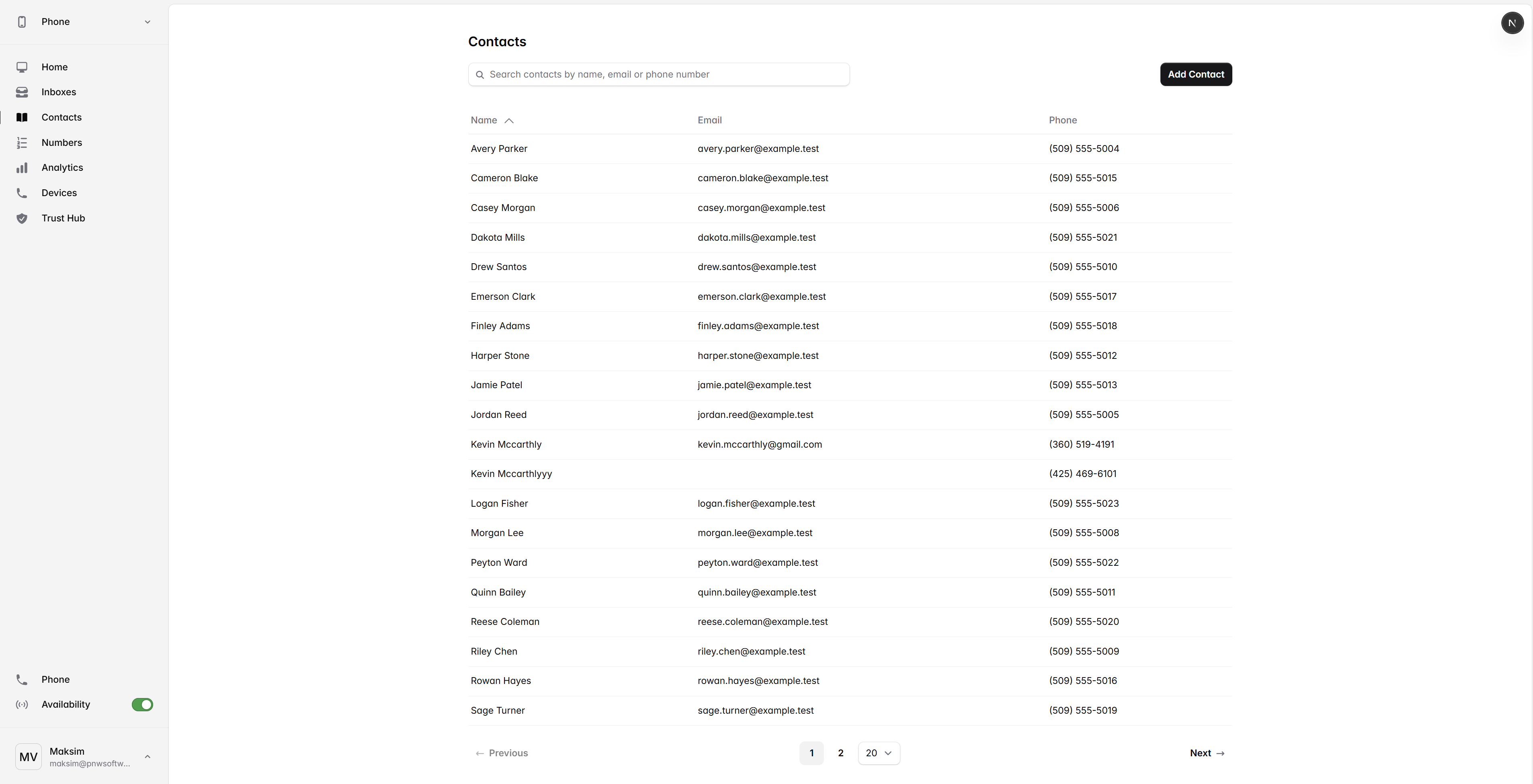
Smart by default
Contacts that work the way your team does.
Auto-match
New calls and texts pair to existing contacts so unknown numbers shrink fast.
Merge and dedupe
Combine duplicates with one click and keep notes from both records.
Tags and lists
Group customers, vendors, prospects, or VIPs and filter the inbox by tag.
Custom fields
Track the things that matter to your business: account ID, region, plan, anything.
CSV and CRM sync
Import once, then keep contacts in sync with your CRM through native or webhook integrations.
Shared notes
Write context once. The next teammate to answer sees it before saying hello.
Bring contacts in
From spreadsheet to shared book in minutes.
- Step 01
Import
Drop a CSV, paste a list, or connect your CRM.
- Step 02
Map fields
Match columns to fields, with a preview before anything is created.
- Step 03
Match and dedupe
Existing numbers and emails are matched so nothing is duplicated.
- Step 04
Share with the team
Tags and access controls decide who sees which contacts.